
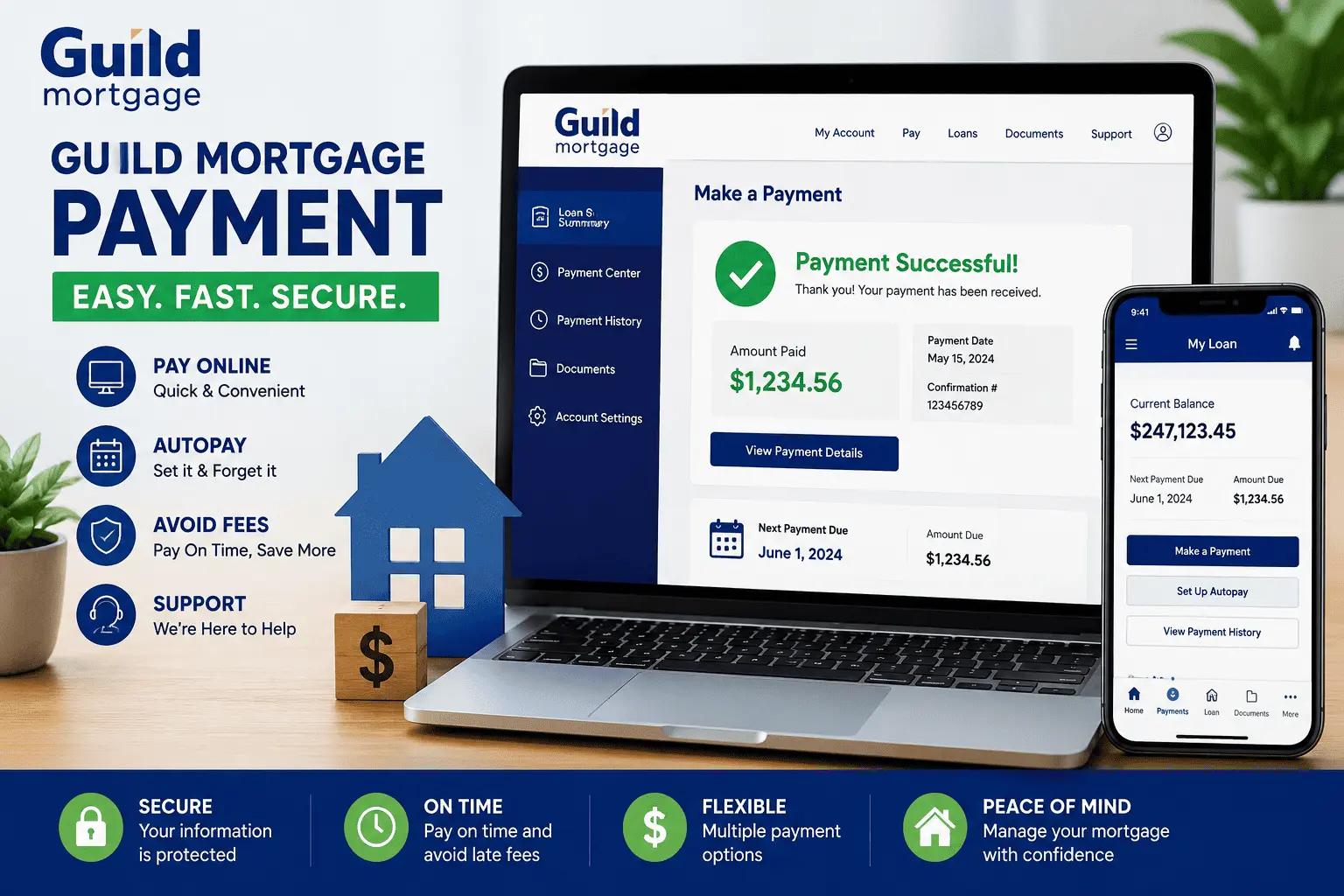
Paying your mortgage should feel simple, yet many Guild homeowners still feel unsure each month. You log in, see a few buttons, and wonder which one is safe to click. Some people worry about late fees, while others are not sure if their money posted on time. That small stress adds up fast, and it is far more common than most folks admit.
This guide clears all of it up in plain words. You will learn every way to make a Guild Mortgage payment, how to log in to your account, and how to dodge extra charges. We will also cover posting times, autopay, and what to do when a payment runs late. By the end, you will know exactly how to handle your loan with zero guesswork.
How to Make a Guild Mortgage Payment Online
Making a payment online is the fastest way to stay current. Most borrowers can pay in just a few minutes from a phone or laptop. When you pay online, your payment is free of charge. To begin, you need an online account first.
Here is the simple path to follow:
- Go to the official site and open the My Account area.
- Register if you are new, or sign in if you already have a profile.
- Open your loan summary page to see your balance and due date.
- Choose the amount, pick a date, and confirm the payment.
Once you submit, the system shows a confirmation. You can pay on the same day if you finish before 5 p.m. Pacific Time on a business day. Any payment made after that posts the next business day. This setup makes a Guild Mortgage payment quick and stress free.
Guild Mortgage Payment Login and My Account Portal
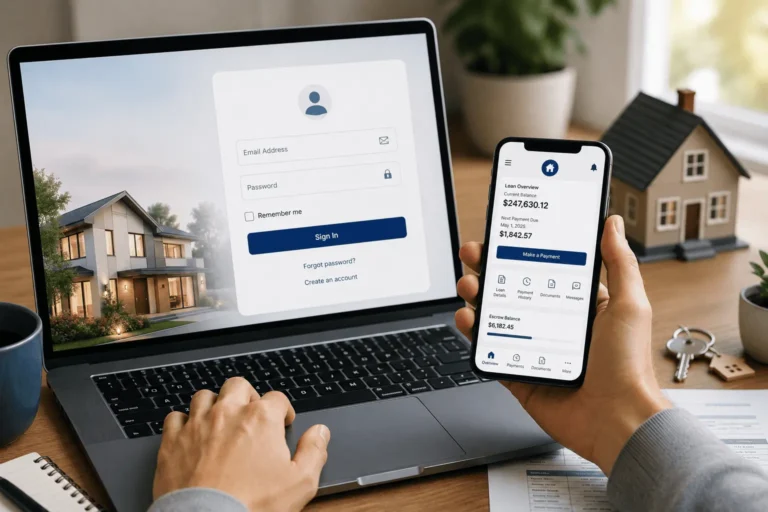
Your account is the home base for everything. The login page lets you view your balance, due date, and full payment history. You can also set reminders and download statements. If you have not signed up yet, the first step is quick.
New users start at the portal sign up page and create a profile with basic loan details. Returning users go straight to the portal sign in screen and enter their email and password. The GuildMortgage.com sign in page is the only official spot, so avoid look-alike links. For a deeper walk-through, our Guild Mortgage login guide shows each step with fixes for common errors.
Once inside the Guild Mortgage payment portal, your loan summary loads first. From there you can pay, set autopay, or update your details. Keep your password private, and log out on shared devices.
Guild Mortgage Payment Methods
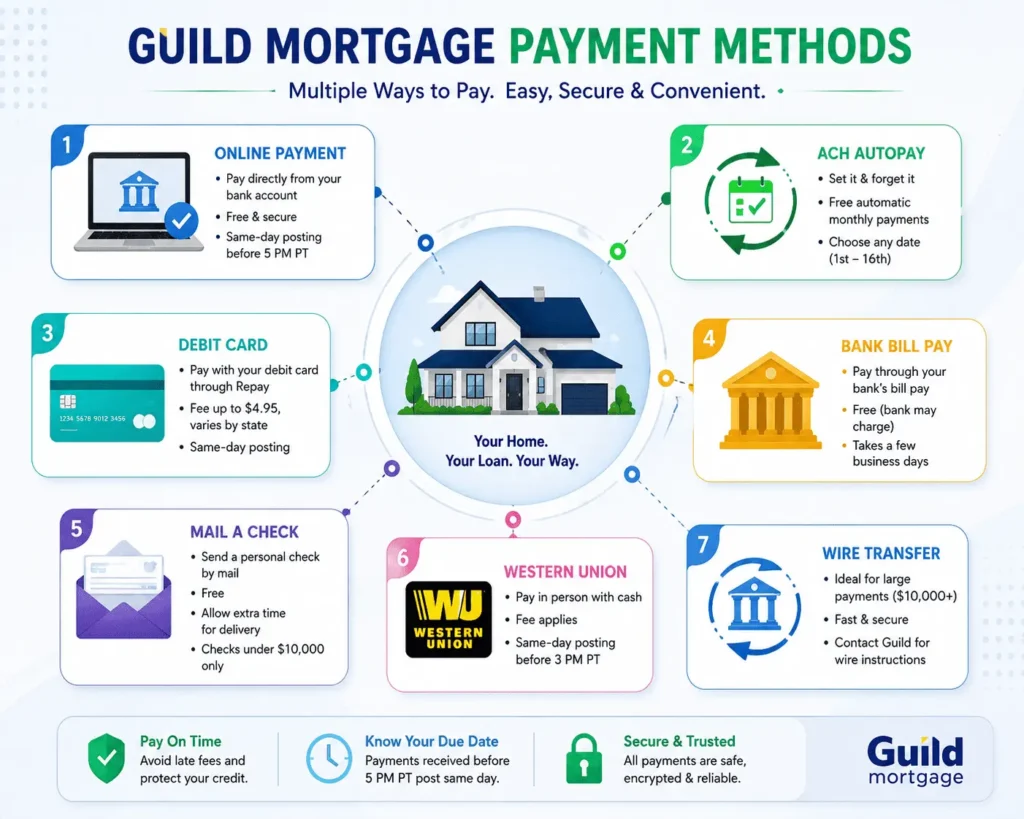
Guild gives you several ways to pay, and each one fits a different need. Some are free, while others carry a small fee. The table below breaks down your main choices at a glance. Pick the one that matches your budget and timing.
| Payment Method | Typical Fee | Processing Speed | Best For |
|---|---|---|---|
| Autopay (ACH) | Free | Posts on your set day | Hands-off monthly payments |
| Online (bank account) | Free | Same day before 5 p.m. PT | Quick one-time payments |
| Debit card (Repay) | Up to $4.95, varies by state | Same day | No bank transfer on hand |
| Bank bill pay | Free, bank may vary | A few business days | Existing bill pay users |
| Personal check / mail | Free | Mail delivery time | Paper payment fans |
| Western Union | Service fee | Same day before 3 p.m. PT | In-person cash payers |
Fees and cutoff times can change, so always confirm the latest details in your account. The right Guild Mortgage payment method depends on speed, cost, and comfort.
Debit Card Payments Through Repay
Repay is the debit card option inside your account. It once went by the name Speedpay, so older notices may still use that term. A small fee applies, up to $4.95 depending on your state. This choice works well when you do not want a direct bank draft.
To use it, log in and pick the debit card path at checkout. The payment usually posts the same day. Keep your card details current to avoid a failed charge.
Bill Pay Through Your Bank
Many banks offer a free pay bill feature, also called bill pay. You add Guild as a payee, then set the amount and date. Your bank then sends the funds, sometimes by paper check. Always check the guaranteed delivery date so your payment lands on time.
This route is handy if you already manage bills through your bank. Just allow a few business days for mailed checks. Start early near the due date to stay safe.
Pay by Personal Check or Mail
You can still mail a personal check the old-fashioned way. Write your loan number on the check so it is applied correctly. Mail it to Guild’s payment address, which is printed on your monthly statement. Personal checks must be under $10,000, or they will be returned.
Allow enough days for the mail to arrive before your due date. A check that lands late can trigger a fee. Certified funds are needed for any amount of $10,000 or more.
Western Union Payments
Western Union lets you send a payment in person, often with cash. This helps borrowers who prefer not to use a bank account. Payments made by 3 p.m. Pacific Time post the same day. Anything later moves to the next business day.
A service fee may apply at the Western Union counter. Bring your loan number and account details with you. Keep the receipt until your payment shows as posted.
Wire Transfer for Large Payments
A wire transfer suits large or time-sensitive payments. It is the go-to for amounts of $10,000 or more. You will need Guild’s wire instructions, which your service team can provide. Wires usually clear faster than checks.
Your bank may charge a wire fee on its end. Double-check the routing details before you send. One wrong digit can delay the whole transfer.
How to Avoid Guild Mortgage Payment Fees
Nobody likes paying extra just to hand over money they already owe. The good news is that the cheapest options are also the easiest. A Guild Mortgage payment is free when you use autopay or pay from your bank account online. Fees mostly show up with debit cards and some outside tools.
Here is how to keep more cash in your pocket:
- Set up free ACH autopay for no-fee monthly payments.
- Use the online bank account option instead of a debit card.
- Avoid phone or agent payments that may add a service charge.
- Skip third-party services that tack on their own fees.
Small choices like these can save real money over a year. If a fee ever surprises you, call Guild and ask why it applied.
How to Set Up, Change, or Cancel Autopay
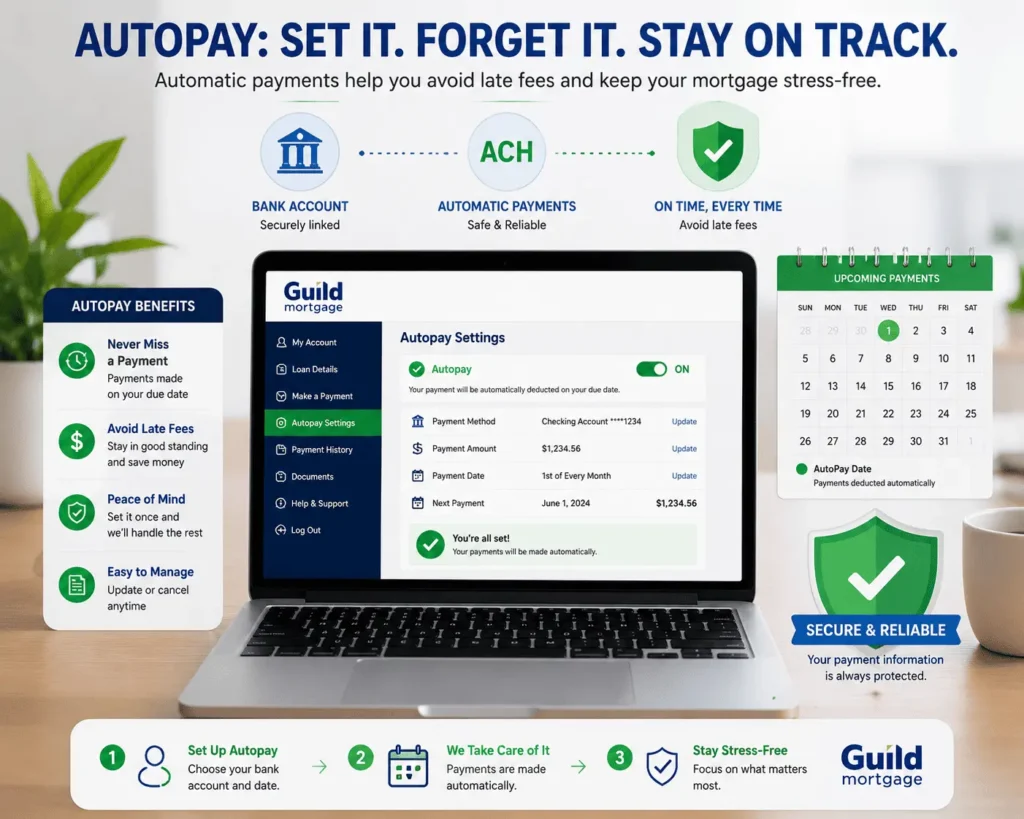
Autopay is the simplest way to never miss a due date. It pulls your payment straight from your checking account each month. The ACH service is free, and you pick any day from the 1st to the 16th. Set it once, and the system handles the rest.
To start, log in and open the Set Up Auto Pay link under the payments banner. To change the date or amount, edit the same autopay settings. To cancel, turn off autopay before your next scheduled draft. If you want to send a single payment while autopay is on, you may need to pause it first.
Making Extra or Principal-Only Payments
Paying extra toward your balance can save you years of interest. You can send a principal-only payment as long as your loan is current. Always note your loan number and mark the funds as principal-only. This makes sure the money lowers your balance, not next month’s bill.
Online principal-only payments are capped at $9,999.99 each time. For anything $10,000 or more, you must send certified funds or a wire. Inside your account, you can also split extra into principal, escrow, or late fees. Check your statement afterward to confirm the funds landed where you wanted.
When Will Your Guild Mortgage Payment Post?
Timing matters because a late post can mean a late fee. Your Guild Mortgage payment posts on the day it is received in most cases. Online payments made before 5 p.m. Pacific Time post the same business day. ACH autopay posts on the exact day you choose.
Bank bill pay can take a few business days, so plan ahead. Western Union payments need to be in by 3 p.m. Pacific Time. If you mail a check, allow plenty of time for delivery. When in doubt, pay a day or two early to stay safe.
What to Do If Your Payment Is Late or Past Due
Falling behind happens, and it does not make you a bad borrower. The key is to act fast before small problems grow. A late Guild Mortgage payment can lead to fees and credit damage if ignored. Reaching out early almost always gives you more options.
Late Fees and Grace Period
Most mortgages include a short grace period after the due date. During this window, your payment is still on time with no penalty. After it ends, a late fee may apply based on your loan terms. Check your statement or note for your exact grace period length.
Partial payments do not count and are usually returned. Pay the full amount to clear the late status. If money is tight, ask about a payment plan instead of skipping.
Help for Accounts 30+ Days Past Due
If your account is more than 30 days behind, call Guild right away. The past-due support line is 1-800-365-4884 for payment arrangements. The team can explain relief options like hardship plans or short-term help. Acting early can stop a small slip from turning into a serious problem.
You can also email questions to james@allthings-mortgage.com for guidance. Keep records of every call and message you send. The sooner you reach out, the more choices you keep.
Why Was My Guild Mortgage Payment Returned or Rejected?
A returned payment can feel scary, but the cause is usually simple. Most rejections come from a few common issues. Fixing the root problem keeps it from happening again. Here are the usual reasons a payment bounces back:
- Not enough money in the account at draft time.
- A wrong account or routing number was entered.
- A stop payment was placed on the check.
- The payment was partial, which Guild does not accept.
If your payment is returned, you may face a fee and a late mark. Contact your bank to learn the exact reason. Then fix it and resend the full amount quickly.
Guild Mortgage App: Pay From Your Phone
The Guild Mortgage app puts your loan in your pocket. You can pay, check your balance, and upload documents from anywhere. It also includes a payment calculator to estimate monthly costs. For many borrowers, the app is the easiest way to stay on top of a Guild Mortgage payment.
Download the login app from the App Store or Google Play. Sign in with the same details you use online. There is also a one-time login option for quick guest access in some cases. Push alerts can remind you before each due date, which helps you skip late fees.
Can You Pay Guild Mortgage Through doxo or Other Services?
You may see outside sites like doxo that offer to pay your mortgage. These services are not part of Guild and are not officially linked to it. They can work, but they often add fees and may slow down posting. For most people, paying through Guild directly is safer and cheaper.
If you do use a third-party tool, read the fee notice before you confirm. Make sure the payment reaches Guild before your due date. When possible, stick with the official account or app. That way your money stays tracked and protected from start to finish.
What Makes Up Your Guild Mortgage Payment (Principal, Interest, Escrow)
Your monthly bill is more than just the loan itself. Most payments include four parts, often called PITI. Knowing the breakdown helps you see why your amount can change. Here is what sits inside each monthly bill:
- Principal: the part that lowers your loan balance.
- Interest: the cost the lender charges to lend you money.
- Taxes: property taxes held in escrow and paid for you.
- Insurance: homeowner’s and any mortgage insurance premiums.
Escrow collects taxes and insurance, then pays them when they are due. If those costs rise, your monthly amount can go up too. Still deciding if Guild fits your budget? Our guide on whether Guild Mortgage is worth it in 2026 covers rates and fees in detail.
Guild Mortgage Payment Phone Number and Customer Service
Sometimes you just need a real person on the line. Guild’s main customer service number is 1-800-365-4441 for general help. Use it for questions about your balance, escrow, or posting. For accounts more than 30 days past due, call 1-800-365-4884 instead.
Have your loan number ready before you call to save time. The team can help with payments, account access, and fee questions. Phone lines are best for issues the website cannot fix fast.
Conclusion
At the start, we promised to make every option clear, and now you have the full picture. You know how to log in, which methods are free, and how to handle a late or returned payment. Whether you pick autopay, the app, or a quick online payment, your Guild Mortgage payment is now simple to manage. Pay early when you can, keep your loan number handy, and you will stay in control every single month.
Frequently Asked Questions
Can I pay my Guild loan without logging in?
Yes, in some cases. Guild offers a one-time guest payment through Repay using a debit card, so full account access is not always required. A small fee may apply, and you will still need your loan number to finish.
What happens if my Guild loan is sold or transferred?
If servicing moves to another company, you will get a notice with new payment details. Keep paying Guild until the listed transfer date. The law gives a 60-day grace period, so a late fee cannot apply right after a transfer.
Does Guild accept partial payments?
No. Guild does not accept partial payments, and they are usually returned to you. You must send the full monthly amount to keep your loan current. If you cannot pay in full, call Guild early to set up a payment plan.
How long does it take for a Guild payment to clear?
It depends on the method. Online and debit card payments often post the same business day before the cutoff. Bank bill pay and mailed checks can take several business days, so send those early to beat your due date.
Is there a fee to pay my Guild mortgage by phone?
Often, yes. Phone or agent-assisted payments may carry a service fee, sometimes a few dollars. Free options include ACH autopay and paying from your bank account online. Using these no-cost methods each month can save you money over time.



One Comment